Introducing “Older device mode”
February 5, 2026
We’ve added “Older device mode” to our player, which lets you disable certain audio processing features if you’re using an older device.
View a slice, then open the player settings and look for the “Older device mode” section:
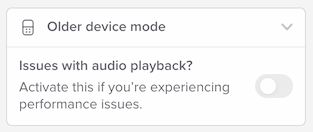
Check the box to enable older device mode.
Two things to note:
- This replaces our previous feature called “Enhanced slowdown.” There’s no longer an “Enhanced slowdown” option in the speed controls.
- In some cases, we’ll automatically activate older device mode. It depends on your device and how well it supports web audio stuff.
For more details on what functionality changes in older device mode, please see our new help page.