New: Specify instrument type in scans
September 25, 2026
Our sheet music scanning feature now lets you specify the instrument type for each detected instrument:
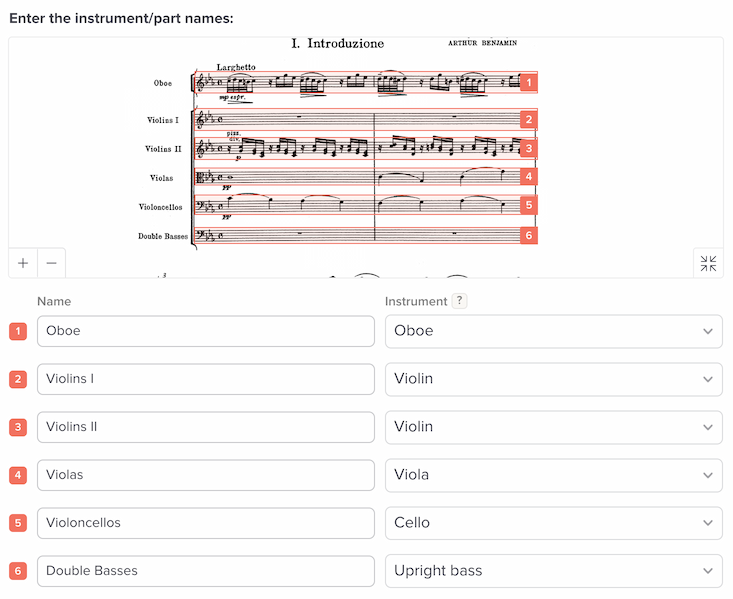
A few weeks ago, we’d added a way to set the instrument names. Now we’ve expanded this to include the instrument type as well, which controls synthetic playback sound and instrument transposition.
This smooths out the workflow for various situations:
- Transposing instruments. Importing music in B flat? Previously you’d need to use the instrument-assignment tool to tell our system to interpret the music as having a transposition. Now the new instrument question lets you do this faster.
- Older percussion music that used bass clef. Previously you’d need to use our editor to convert the music from bass music into a percussion track. With the new instrument question, you can tell the system to intrepret it as percussion from the start.
- Synthetic playback. Previously we always used piano synth sounds for the playback of scanned music. Now, we’ll use whatever instrument you’ve specified.