Customizing the player
When it comes to practicing music, different people need different things. We want to help you customize our player to make your most-used features quick and easy to access.
Customizing the player is limited to people in our paid plans.
When viewing a slice, open the player settings by clicking at bottom right of the player. Then look for the “Customize player” button:

(This button is only visible if you’re logged into your Soundslice account.)
Click that to open a screen where you can make player customizations:
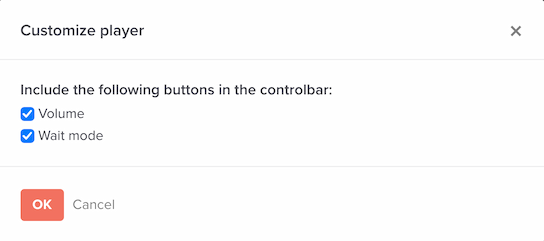
The “Include the following buttons in the controlbar” section lets you add buttons to the controlbar (the bar at the bottom of notation that includes the play button, speed controls, etc.). The options are:
- Volume — adds a dedicated volume button. This is quicker to access than the one in the player settings.
- Wait mode — adds a button to open wait mode. This is faster than going through your notebook.
Ideas?
Player customization is still in its early stages, and we plan to expand it. If you have ideas on what functionality you’d like to quickly and easily access in your controlbar, please send your feedback.