Using the notation editor with PDF/image scans
For any slice that’s been created via our PDF/image importer, our notation editor will give you a special feature — you’ll see your original upload in the bottom half of the screen:
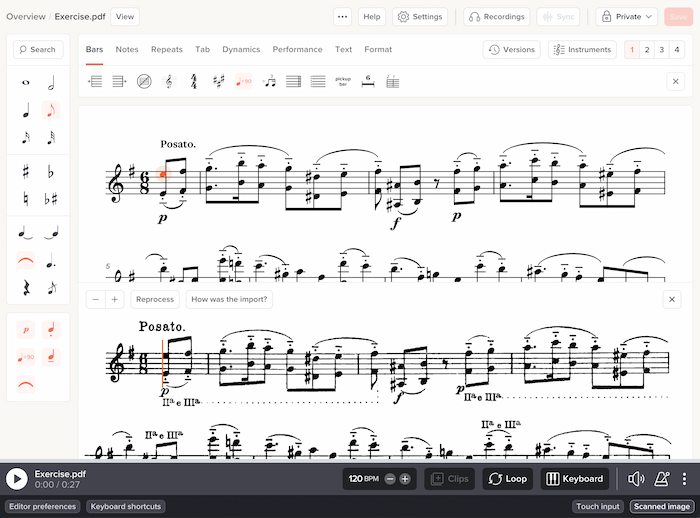
This lets you cross-reference between the generated slice and your original scan, to spot-check for any errors or omissions. You can toggle the display of the original scan by clicking “Scanned image” at the bottom right of the screen.
Using the original scan in place of Soundslice’s notation
By default, your original scan is only visible to you, not to anybody else viewing your slice. And it’s only visible when the editor is open.
But you have the option of making your original scan visible in view mode. See Practicing with PDFs/photos for details.